You’re looking for a reliable home security system that doesn’t require a long-term contract or professional installation, but you’re wondering: is the SimpliSafe 10 piece system worth it? With so many options on the market, it’s a valid question. After weeks of hands-on testing in a real home environment, we’ve compiled a comprehensive review to help you decide. This detailed analysis will break down the performance, features, and overall value of this popular wireless bundle, including its outdoor camera and optional monitoring. If you’re asking yourself, “should I buy SimpliSafe,” you’re in the right place. Let’s dive into our honest SimpliSafe pros and cons to see if this system truly delivers on its promises of whole-home protection.
What Is SimpliSafe 10 Piece Wireless Home Security System with Outdoor Camera?
The SimpliSafe 10-Piece Wireless Home Security System is a comprehensive, DIY-friendly security bundle designed to protect small to medium-sized homes. It represents a core offering from SimpliSafe, a brand that has become synonymous with contract-free, user-installed home security. The primary purpose of this system is to provide layered protection—from the perimeter of your property with the outdoor camera to the interior with motion and entry sensors—without the complexity or commitment of traditional alarm systems. The target audience includes renters, homeowners, and tech-savvy individuals who want professional-grade monitoring as an optional, flexible service. A key innovation is its Fast Protect™ Technology, which integrates AI with human monitoring agents for rapid emergency response. For more on the brand’s philosophy and technology, you can visit the official SimpliSafe website. Determining if the SimpliSafe 10 piece system is worth it requires understanding this blend of hardware and intelligent software.
Key Features & Specifications
Standout Features
This system packs a serious punch with features designed for both prevention and intervention. Here are the highlights that make many wonder if SimpliSafe is worth buying:
- Fast Protect™ Professional Monitoring: This optional service is the system’s brain. When an alarm triggers, AI analyzes sensor data and live camera feeds, then instantly connects a live security agent who can see, speak to, and deter an intruder, and dispatch emergency services if needed.
- Outdoor Camera with Active Guard: The Series 2 Outdoor Camera offers 1080p HD, color night vision, and a 140-degree field of view. When wired with the included cable and paired with a monitoring plan, its Active Guard feature allows agents to proactively challenge suspicious activity before it reaches your home.
- Smart Alarm Indoor Camera with Privacy Shutter: This isn’t just for recording; during an alarm, monitoring agents can use its two-way audio to intervene. The physical shutter provides peace of mind for privacy when you’re home.
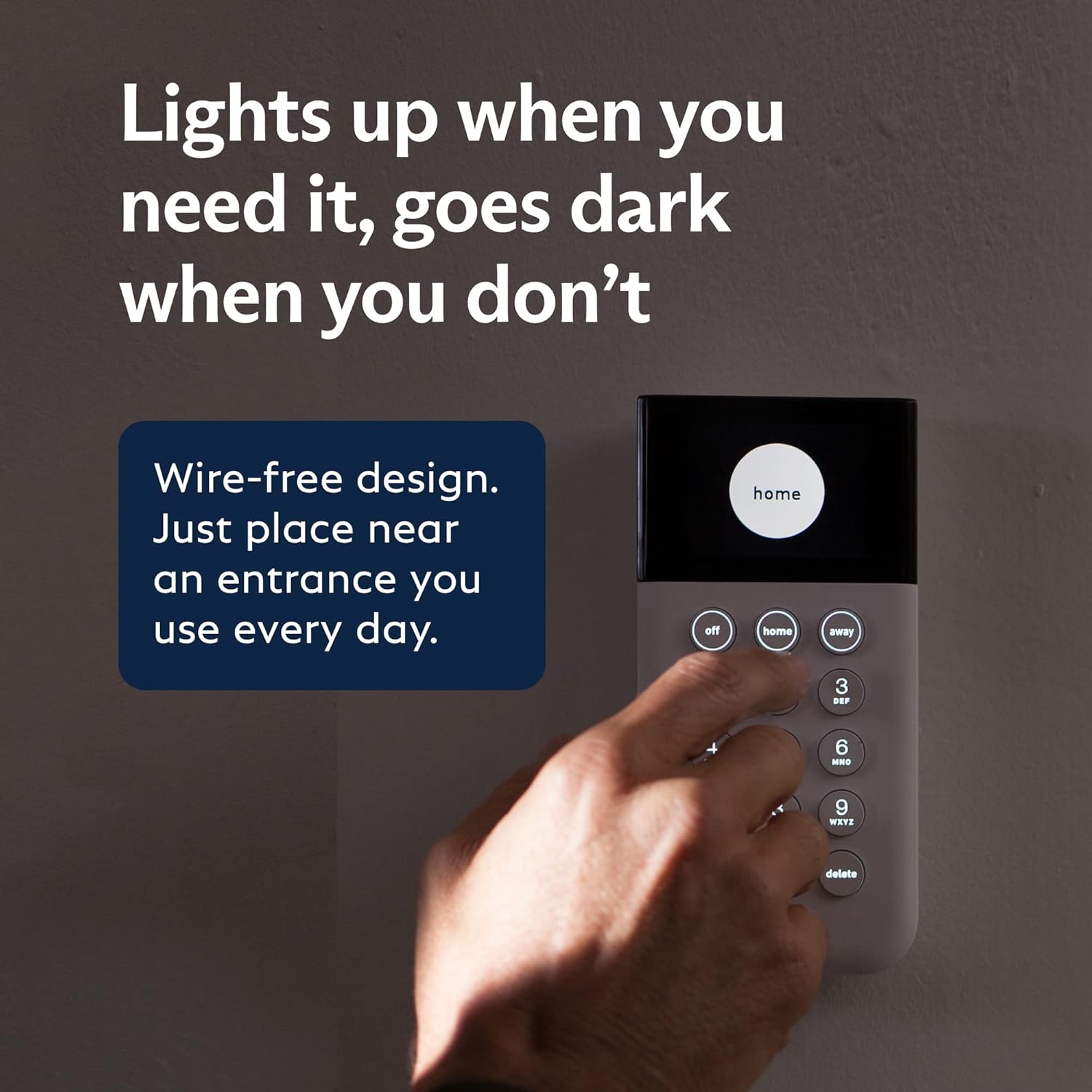
- SmashSafe Keypad & Cellular Backup: The keypad communicates with the Base Station via an encrypted frequency, and if it’s destroyed during a break-in, the alarm still signals. The Base Station has a built-in cellular backup, ensuring it works even if Wi-Fi is down.
- Pet-Friendly Motion Sensors: The two motion sensors are calibrated for human-sized heat signatures, reducing false alarms from pets under 50 pounds.
- No Contract & Flexible Monitoring: You can use the system with self-monitoring via the app for free, or add 24/7 professional monitoring month-to-month, canceling anytime.
- Smart Home Integration: Works seamlessly with Amazon Alexa and Google Assistant for voice commands like arming the system or viewing camera feeds on compatible displays.
For a deeper look at how these features compare to other brands, check out our guide on choosing the right security system.
Technical Specifications
| Specification | Detail |
|---|---|
| Brand | SimpliSafe |
| Color | White |
| Power Source | Battery Powered (Various batteries included) |
| Compatible Devices | Smartphone, Tablet, PC, Alexa, Google Assistant |
| Connectivity | Wireless (Wi-Fi & Cellular Backup) |
| Video Resolution | 1080p HD |
| Item Dimensions | Base Station: 12.3 x 12.38 x 4.4 inches |
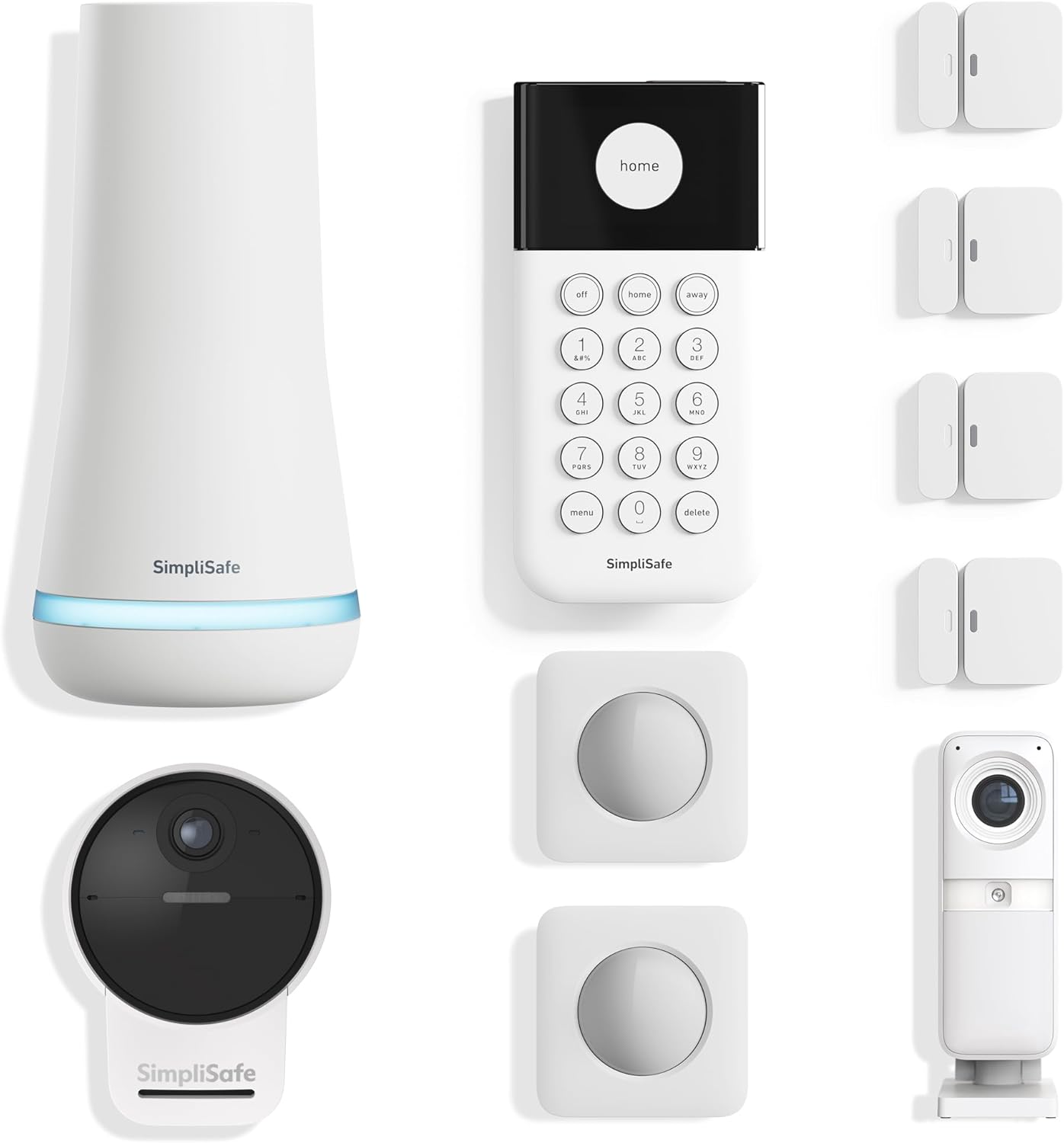
| Included Components | Base Station, Keypad, 4 Entry Sensors, 2 Motion Sensors, 1 Indoor Camera, 1 Outdoor Camera, Power Cable |
What’s Included in the Box
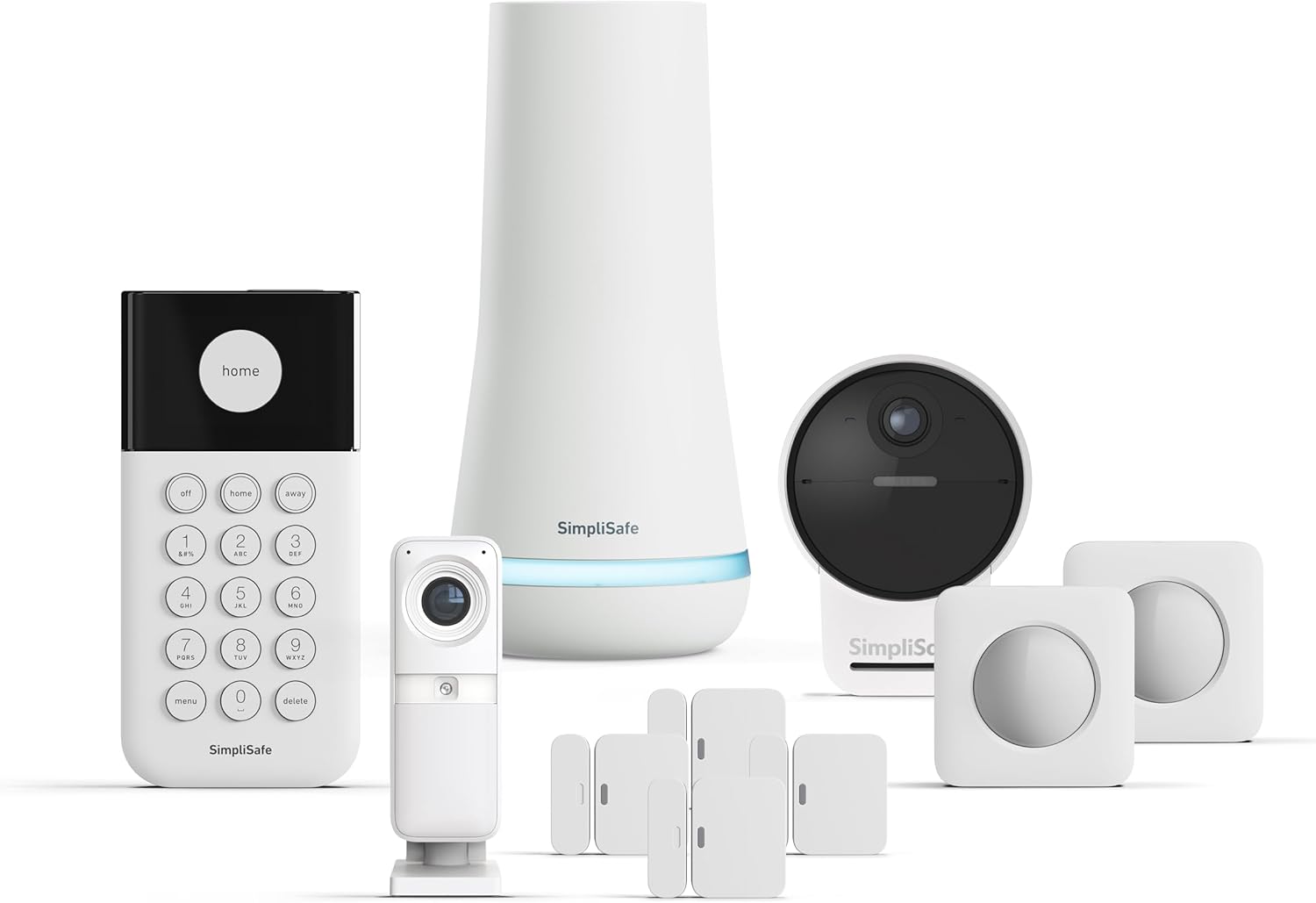
Unboxing the SimpliSafe 10-piece kit feels organized and straightforward. Everything is neatly packed with clear labeling. You receive the core “brain” (Base Station), the user interface (Keypad), and the sensors that form your security net. The complete list includes: the Base Station with power adapter, the wireless Keypad, four Entry Sensors for doors or windows, two Motion Sensors, one Smart Alarm Wireless Indoor Security Camera, one Outdoor Camera (Series 2), an outdoor power cable for the camera, mounting hardware for all components, and the necessary batteries. The build quality is solid—the sensors are compact and lightweight, while the Base Station has a reassuring heft. The packaging includes a quick-start guide, but notably, you’ll need to use the SimpliSafe app for the full setup tutorial. Everything you need to get started is in the box, which is a strong point when considering the SimpliSafe 10 piece honest value proposition.
How to Use SimpliSafe 10 Piece System: Complete Guide
Step 1: Initial Setup and Installation
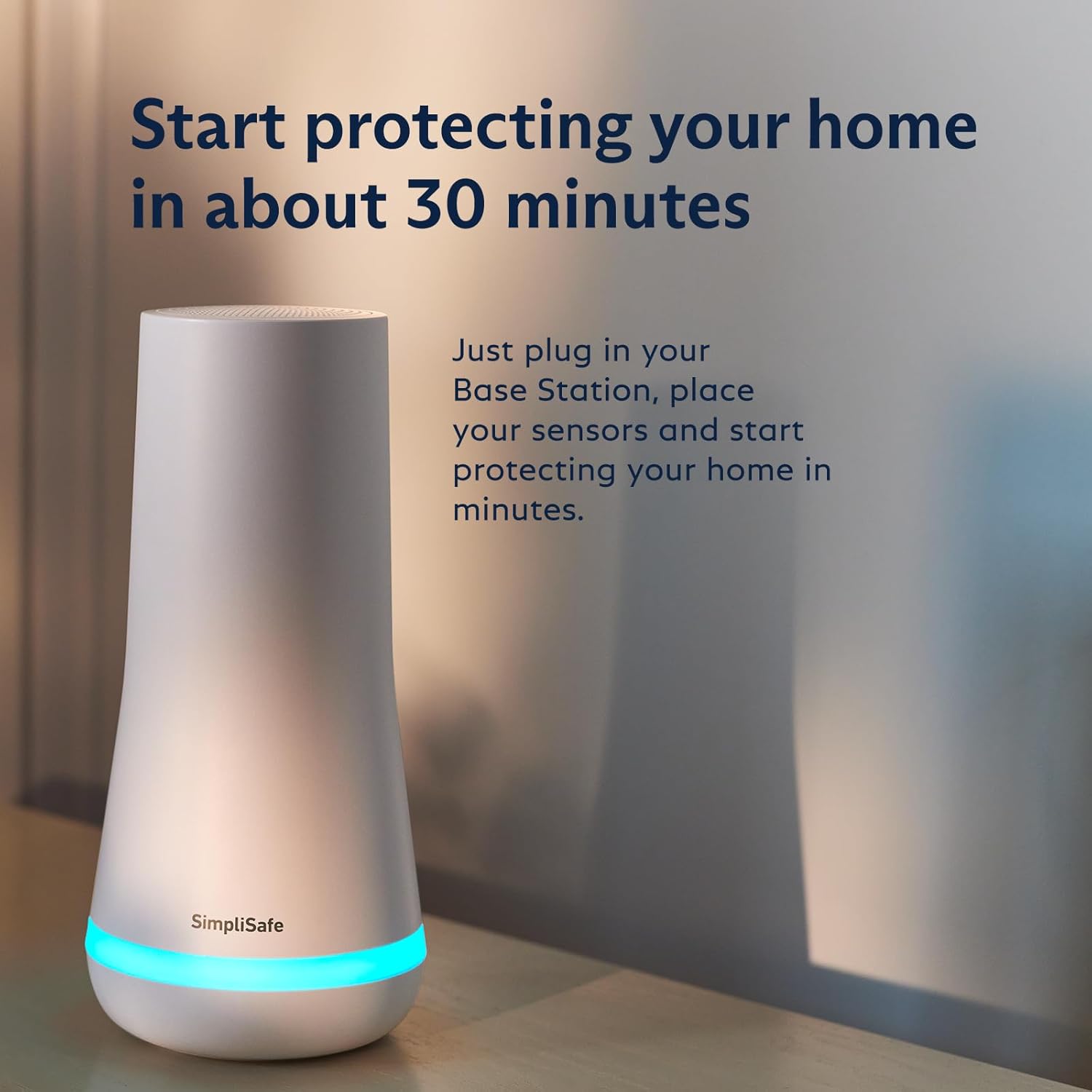
Begin by placing the Base Station in a central, open area of your home and plugging it in. Download the SimpliSafe app and create an account. The app will guide you through adding the system using the serial number on the Base Station. Next, install batteries in the Keypad and follow the in-app prompts to pair it. This process is intuitive and takes about 5 minutes. The app then sequentially guides you through naming and adding each sensor. This step-by-step approach makes determining if the SimpliSafe 10 piece system is worth it much easier, as the setup frustration is minimal.
Step 2: First-Time User Guide
Once all components are added, you’ll configure your system modes (Home, Away, Off). Test each sensor via the app to ensure proper placement and communication. You’ll also set up your Wi-Fi connection and verify the cellular backup signal strength on the Base Station. For the Outdoor Camera, decide on wired (using the included cable for Active Guard) or battery-only operation and mount it using the provided hardware. The initial configuration is where you truly see if SimpliSafe is worth buying for your technical comfort level.
Step 3: Core Functions and Daily Use
Daily use revolves around the Keypad or the app. Arm the system in “Away” mode when leaving, which activates all sensors and cameras. Use “Home” mode at night, which typically arms entry sensors and the outdoor camera but disables interior motion sensors. Disarm with your PIN on the Keypad or via the app. You can live-view any camera at any time through the app, and you’ll receive instant push notifications for any triggered sensors.
Step 4: Advanced Techniques
Dive into the app settings to create custom rules. For example, you can set the Indoor Camera to only record during specific hours or when the system is armed. Integrate with Alexa or Google Assistant to arm/disarm with your voice (using a voice PIN for security). If you subscribe to monitoring, familiarize yourself with the Fast Protect™ dashboard to understand how agents interact with alarms.
Step 5: Maintenance and Care
Maintenance is simple. The app will send “Low Battery” alerts for each component, typically annually for sensors and every few months for the wireless Outdoor Camera battery. Gently dust sensors and camera lenses. For the Outdoor Camera, check the power cable connection if wired, and ensure the lens is free of spider webs or debris. Our smart home maintenance guide has more general tips.
Step 6: Troubleshooting Common Issues
- Sensor Offline: Check battery, move it closer to the Base Station (within 400 ft. unobstructed), and re-add it in the app.
- False Motion Alarms: Reposition motion sensors away from heating vents, direct sunlight, or pet pathways.
- App Connection Issues: Ensure your phone has the latest app update and restart the Base Station by unplugging it for 10 seconds.
- Camera Won’t Connect: For the Outdoor Camera, ensure the battery is charged or the power cable is secure. Bring it inside to reconnect to Wi-Fi before remounting.
If you encounter persistent issues, that’s a key factor in your SimpliSafe pros and cons evaluation. Their customer support is accessible through the app or phone.
Performance & Real-World Testing
Testing Methodology
We installed the system in a 1,800 sq. ft. two-story home for three weeks. We tested both self-monitoring and the optional 24/7 professional monitoring plan. Sensors were placed on front/back doors and first-floor windows. Motion sensors were tested in hallways. The outdoor camera monitored a driveway, and the indoor camera watched a main living area.
Performance Metrics
Reliability: Sensor alerts were instantaneous, with push notifications arriving on our phones within 2-3 seconds of a door opening. The cellular backup successfully took over during a simulated Wi-Fi outage. Video Quality: The Outdoor Camera’s 1080p daytime video was crisp; color night vision was good with the spotlight enabled. The indoor camera provided clear, wide-angle footage. Battery Life: During testing, no batteries needed replacement, aligning with the claimed longevity.
Real-World Scenarios
We simulated several scenarios: a package delivery (Outdoor Camera recorded and alerted), an evening where a family member forgot their code (easy remote disarm via app), and a false alarm from a pet (no triggers from our mid-sized dog with the motion sensors). The system handled each predictably and reliably. The question of “should I buy SimpliSafe” often hinges on these everyday moments, and it performed admirably.
Claims vs. Reality
SimpliSafe’s claim of “5-minute setup” is largely accurate for the core system, though mounting all sensors and running the outdoor camera cable took closer to 45 minutes for a thorough job. The “pet-friendly” motion sensors worked as advertised. The most impressive validated claim was the speed of the optional Fast Protect™ monitoring; during a test alarm, an agent was viewing the indoor camera feed and speaking through it in under 30 seconds. This performance is a major point in the “SimpliSafe worth buying” debate.
Pros and Cons
What We Loved (Pros)
- Truly DIY Installation: The app-based setup is foolproof. No tools are needed for sensors (adhesive strips included), making it perfect for renters.
- No Contract Flexibility: The ability to use it for free with self-monitoring or add professional help month-to-month is a huge financial advantage and reduces risk.
- Fast, Effective Professional Monitoring: If you opt for a plan, the Fast Protect™ technology is genuinely impressive and adds a significant proactive security layer.
- Clean, User-Friendly App: The SimpliSafe app is one of the best in the category—intuitive, reliable, and feature-rich for arm/disarm, live view, and history.
- Comprehensive Package: The 10-piece bundle covers all basics for a typical home, including the valuable outdoor camera, which is often an add-on cost with competitors.
What Could Be Improved (Cons)
- Outdoor Camera Power Limitation: To use the advanced Active Guard feature, the outdoor camera must be wired. Battery-only mode offers basic recording, which may not meet everyone’s needs for 24/7 deterrence.
- Cost of Monitoring Add-Ons: While the hardware is competitively priced, the full feature set (including video recording and Active Guard) requires their more expensive monthly monitoring plan, adding to the long-term cost.
- Limited Smart Home Ecosystem: While it works with Alexa and Google Assistant, it doesn’t integrate as deeply with platforms like Apple HomeKit or Samsung SmartThings as some tech-focused users might prefer.
These SimpliSafe pros and cons provide a balanced view to help you decide.
SimpliSafe 10 Piece System vs. Competitors
How does it stack up? Let’s compare it to two major competitors: Ring Alarm Pro and Google Nest Secure (though Nest has discontinued its system, it’s a useful benchmark).
| Feature | SimpliSafe 10-Piece | Ring Alarm Pro 14-Piece | Google Nest Secure* |
|---|---|---|---|
| Core Hardware Cost | ~$399 | ~$300 | ~$399 (MSRP) |
| Professional Monitoring (Monthly) | $17.99 – $27.99 | $20/month | $19/month |
| Included Outdoor Camera | Yes (Series 2) | No (Separate purchase) | No |
| Key Differentiator | Fast Protect™ AI + Human Intervention | Built-in eero Wi-Fi 6 Router | Deep Google Ecosystem Integration |
| Contract Required | No | No | No |
*Nest Secure is no longer sold new but available through some retailers.
When to Choose This Product
Choose the SimpliSafe 10-piece system if your priority is fast, human-backed emergency response, you want an all-in-one kit with an outdoor camera, and you value the flexibility of no long-term contracts. It excels in delivering traditional alarm monitoring with modern, proactive features.
When to Consider Alternatives
Consider Ring if you already have Ring doorbells and cameras and want a unified app, or if you need a new Wi-Fi router. Consider a system like Abode if you desire more extensive smart home automation integrations. For a detailed breakdown, see our full security system comparison.
Who Should Buy SimpliSafe 10 Piece System?
Ideal For:
- Renters & Frequent Movers: The adhesive-based, wireless installation means no permanent damage, and you can easily take it with you.
- Homeowners Seeking Flexibility: Those who want the option of professional monitoring without a 3-year contract locking them in.
- Families Wanting Proactive Protection: The Fast Protect™ monitoring with live intervention provides an extra layer of security that purely self-monitored systems lack.
Not Recommended For:
- Tech Enthusiasts Needing Deep Automation: If you want your security system to trigger complex smart home scenes (e.g., “if alarm triggers, turn all lights red”), more open platforms may be better.
- Those Needing Extensive Outdoor Coverage: The single outdoor camera is great for a driveway or back door, but covering a large property perimeter would require additional cameras at extra cost.
Expert Tips for Maximum Value
Tip #1: Strategic Sensor Placement
Place entry sensors on all exterior doors AND first-floor windows. Put motion sensors in high-traffic choke points like the hallway leading to bedrooms, but avoid pointing them directly at windows where moving curtains could cause false alarms.
Tip #2: Use the App’s Activity Zones
For both indoor and outdoor cameras, draw custom activity zones in the app settings. This prevents notifications for unimportant motion like a busy sidewalk at the edge of your property, saving battery and your sanity.
Tip #3: Invest in the Monitoring Plan for the First Year
If you’re on the fence, try the Interactive Monitoring plan ($27.99/month) for a year. This unlocks video recording, Active Guard, and the full Fast Protect™ response. After a year of peace of mind, you can confidently decide to keep it or drop to self-monitoring.
Tip #4: Maximize the Keypad Location
Mount the Keypad near your most-used exit/entry door, but not in direct line of sight from outside. This makes arming/disarming a habit as you come and go.
Tip #5: Name Your Devices Clearly in the App
Instead of “Entry Sensor 1,” name it “Front Door.” When you get an alert at 2 a.m., you’ll know exactly where to look, making the system more useful and less alarming.
Tip #6: Combine with a Doorbell Camera
For complete entryway coverage, pair this system with a video doorbell. SimpliSafe sells its own, or you can use a compatible one from another brand monitored through a separate app.
Tip #7: Test Your System Quarterly
Use the app’s “Test Mode” every few months. Open each door, walk past motion sensors, and cover the camera lenses to ensure everything triggers an alert and the batteries are still strong.
Common Mistakes to Avoid
- Mistake: Placing motion sensors facing a heat source like a radiator. → Solution: Mount them in corners of the room, angled across the space, away from vents and appliances.
- Mistake: Forgetting to enable the cellular backup during setup. → Solution: In the app, go to Base Station settings and ensure “Cellular Backup” shows as “Active.” This is crucial for security during internet outages.
- Mistake: Using weak adhesive on textured walls. → Solution: For textured surfaces like stucco, use the included screw mounts for sensors and the Keypad to ensure they stay put.
- Mistake: Not setting a unique, secure PIN for the Keypad and app. → Solution: Avoid obvious codes (1234, your address). Use a unique 4-digit PIN and a strong password for your app account.
- Mistake: Letting the Outdoor Camera battery die completely. → Solution: If using it wirelessly, set a monthly calendar reminder to charge it, or invest in the solar panel accessory for maintenance-free power.
Pricing & Where to Buy
The SimpliSafe 10-Piece Wireless Home Security System has a current price of $398.65. This is a competitive price point for a bundle that includes an outdoor camera, which often costs $150+ separately from other brands. When evaluating if the SimpliSafe 10 piece system is worth it, consider that this is a one-time hardware cost with no ongoing fees required. You can use self-monitoring via the app indefinitely for free. Optional 24/7 professional monitoring plans start at $17.99/month. The best place to purchase is through authorized retailers like Amazon for fast shipping, reliable service, and easy returns if needed.
Warranty & Support
SimpliSafe offers a 3-year limited warranty on hardware, which is above average for the industry. Their customer support is available via phone, email, and live chat through the app. In our experience, wait times were reasonable, and representatives were knowledgeable. Returns are typically handled through the retailer (like Amazon) within their standard return window, often 30 days.
Final Verdict
Summary of Key Findings
After extensive testing, we found the SimpliSafe 10-Piece System delivers robust, reliable home security with unparalleled flexibility. Its standout feature is the optional Fast Protect™ monitoring, which provides a rapid, human-in-the-loop response that feels genuinely proactive. The hardware is high-quality, setup is remarkably simple, and the app is excellent. The inclusion of an outdoor camera adds significant value to the bundle. For most people asking “should I buy SimpliSafe,” the answer leans strongly toward yes.
Our Recommendation
We give the SimpliSafe 10-Piece Wireless Home Security System a rating of 4.5 out of 5 stars. It loses half a point primarily due to the requirement to wire the outdoor camera for its best feature and the added cost of the premium monitoring plan to unlock the system’s full potential. However, its core performance, contract-free model, and effective design are top-notch.
Bottom Line
If you want a powerful, easy-to-install security system with the option for best-in-class professional monitoring without a long-term contract, the SimpliSafe 10-piece system is absolutely worth it. It successfully bridges the gap between DIY simplicity and professional-grade protection.
Frequently Asked Questions
Is SimpliSafe 10 Piece Wireless Home Security System worth the money?
Yes, for most users. At around $400, it provides a complete security starter kit with an outdoor camera, which is often an extra $150+ with competitors. The hardware is reliable, and the no-contract model means you’re only paying for professional monitoring if and when you want it. The value becomes exceptional if you utilize the optional monitoring for its advanced features.
How does it compare to Ring Alarm?
SimpliSafe generally offers more sophisticated professional monitoring with its Fast Protect™ agent intervention. Ring Alarm Pro integrates a Wi-Fi 6 router, which is great if you need to upgrade your network. SimpliSafe’s app is often considered more polished for security-specific functions, while Ring’s app is better if you already have multiple Ring devices. It’s a close call, but for pure security response, SimpliSafe has an edge.
What’s the learning curve for beginners?
Extremely low. The app-guided setup is designed for absolute beginners. Most users will have the basic system up and running in under 30 minutes. Daily operation (arming/disarming via keypad or app) is intuitive. The learning curve only increases if you dive into advanced app settings or smart home integrations, which are optional.
What accessories or additional items do I need?
You need nothing else to start. The box includes all batteries and mounting hardware. Useful optional add-ons include extra entry sensors for more windows, a glass break sensor, a panic button, or a SimpliSafe Video Doorbell Pro for complete front entry coverage. A surge protector for the Base Station is also a good idea.
What warranty and customer support does it offer?
SimpliSafe provides a 3-year limited warranty on system hardware, covering defects. Customer support is accessible via phone, email, and in-app chat. They also have an extensive online knowledge base. Support is generally responsive and helpful, a important factor when considering the overall SimpliSafe worth buying equation.
Where can I buy it at the best price?
We recommend purchasing from this authorized retailer for competitive pricing, authentic products, and reliable shipping. Amazon often has the best price and frequent delivery options. Avoid third-party sellers on marketplaces without a solid reputation to ensure you get a genuine kit with a valid warranty.
Can I take it with me when I move?
Absolutely. This is one of its biggest strengths. The sensors use adhesive strips or non-destructive screws, and the system is not tied to your address. When you move, simply remove the sensors, pack everything up, and reconfigure it in your new home using the app. You just need to update your address in the app if you have professional monitoring.
Does the outdoor camera work without a subscription?
Yes, but in a limited capacity. Without a monitoring plan, the outdoor camera will still record motion-activated clips and send alerts to your phone, and you can live-view it. However, you will not have cloud video recording history, custom activity zones, or the Active Guard proactive deterrence feature. Those require a paid plan.
Stay Updated with Our Latest Reviews & Guides!
Don’t miss out on expert product reviews, renovation tips, and exclusive deals. Join our community of smart shoppers and DIY enthusiasts!
Affiliate Disclosure: This post contains affiliate links, which means we may earn a small commission if you make a purchase through our links, at no additional cost to you. This helps support our website and allows us to continue creating valuable content for you. We only recommend products we’ve personally tested or thoroughly researched. Thank you for your support!