
Are you searching for a professional-grade PTZ camera system that won’t break the bank? If you’re a church tech director, a live stream producer, or an educator looking to elevate your video production, you’ve likely asked yourself: is the FoMaKo PTZ camera bundle worth it? This is a critical question when investing in equipment for worship services, lectures, or live events. After weeks of hands-on testing, we’re here to give you a definitive, no-nonsense answer. We’ll break down the AI tracking, the 30x zoom, and the overall value proposition to help you decide if this bundle is the right fit for your needs. Spoiler alert: for many, it absolutely is, and you can check the latest price and bundle details on Amazon here.
What Is the FoMaKo PTZ Camera Bundle?
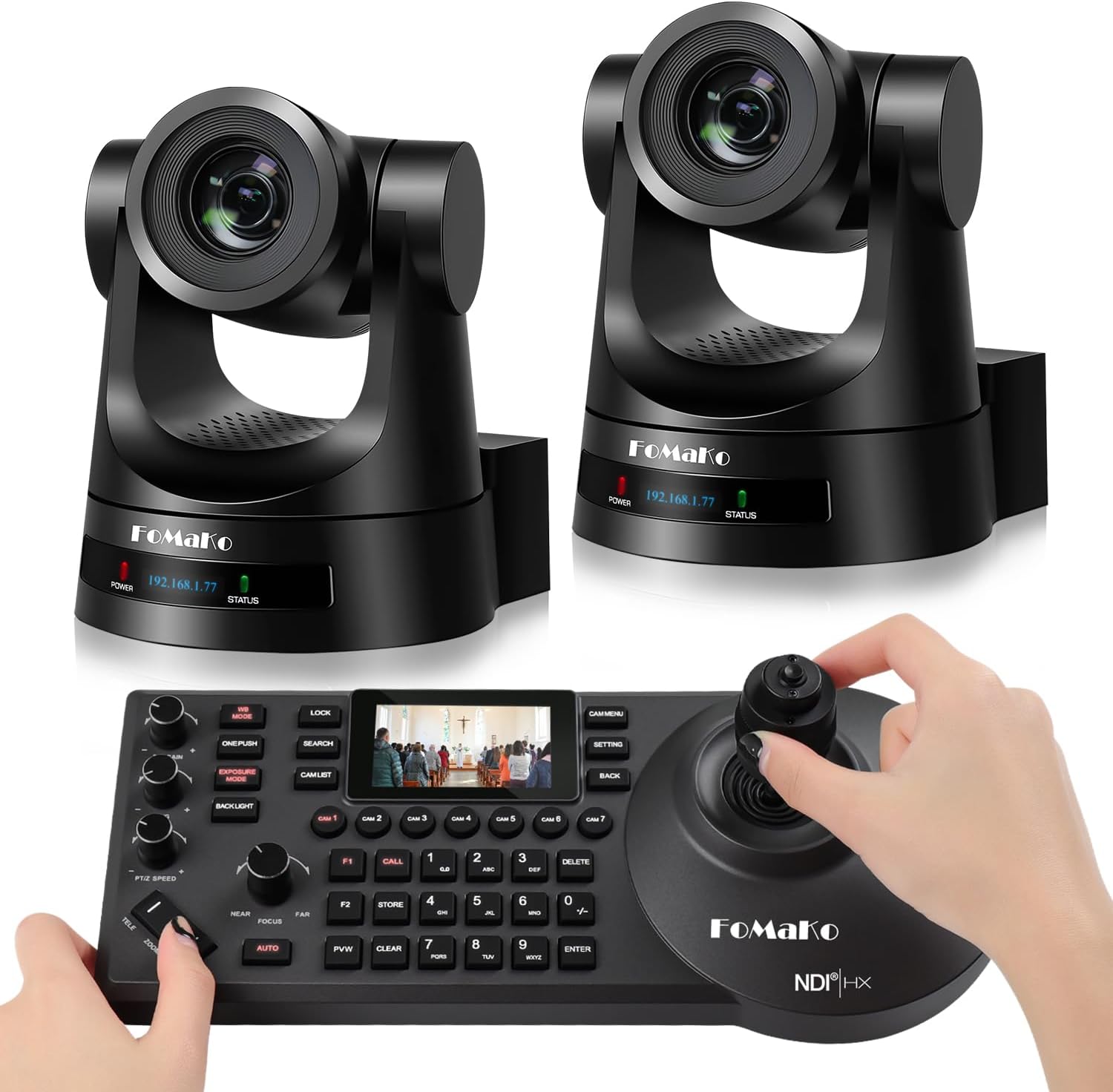
The FoMaKo PTZ Camera Bundle (Model BH302) is a comprehensive, all-in-one video production kit designed for professional live streaming and broadcasting. At its core, it’s a two-camera system featuring the FMK30SDI PTZ cameras, renowned for their 30x optical zoom and third-generation AI auto-tracking, paired with the KC608 professional controller. This bundle specifically targets users in houses of worship, education, and corporate AV who need reliable, multi-camera production without the complexity and cost of traditional broadcast gear. Founded in 2016, FoMaKo has built a reputation for offering feature-rich PTZ cameras at competitive prices, and this bundle represents their flagship offering for system-based solutions. The central question for buyers remains: is the FoMaKo PTZ camera bundle worth it for serious production work?
Key Features & Specifications
Standout Features
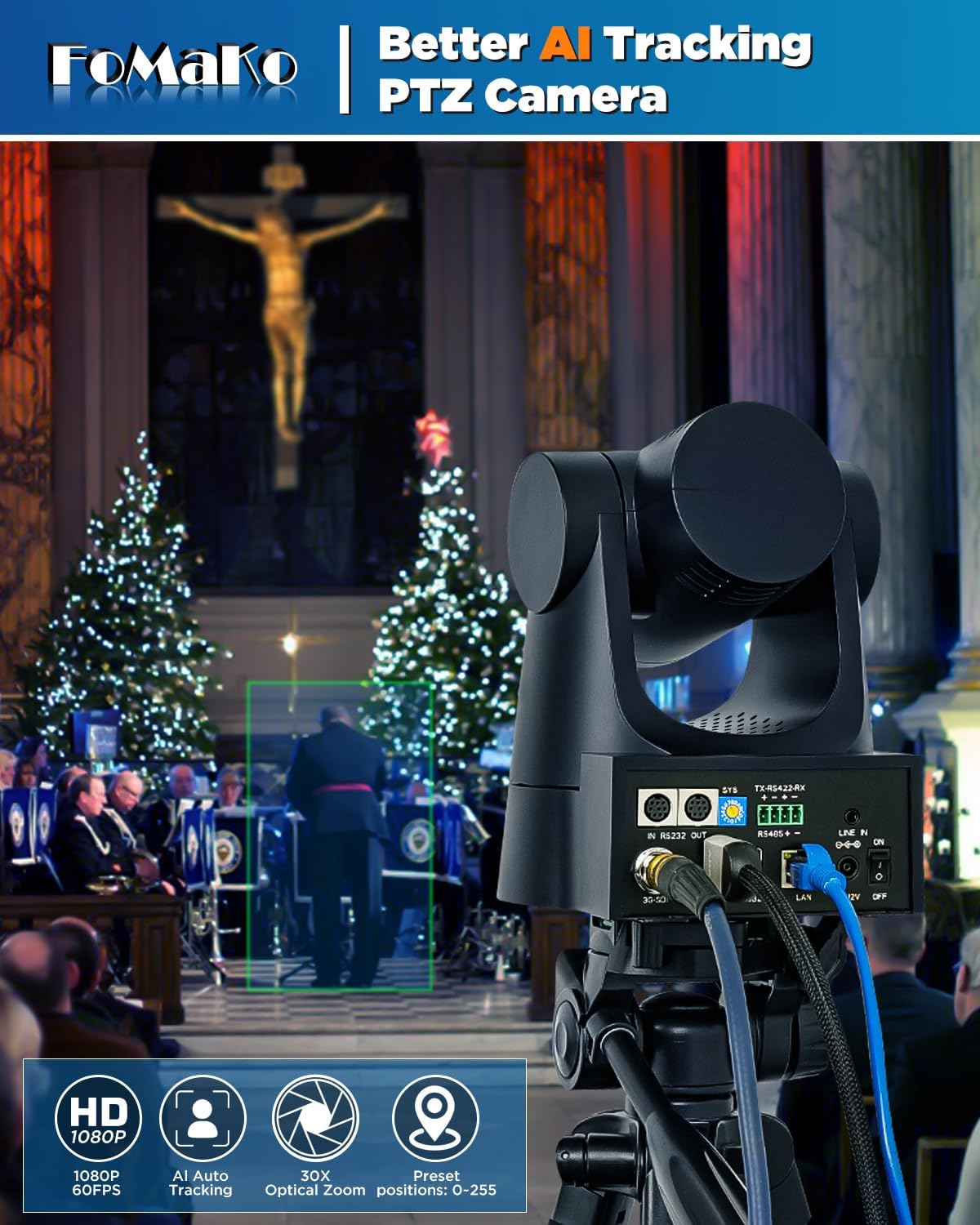
- Gen 3 AI Auto-Tracking: This is the crown jewel. The third-generation algorithm allows for highly customizable tracking. You can adjust sensitivity, target size, and even choose horizontal-only tracking. During our tests, it reliably followed a speaker across a stage with minimal lag or jitter.
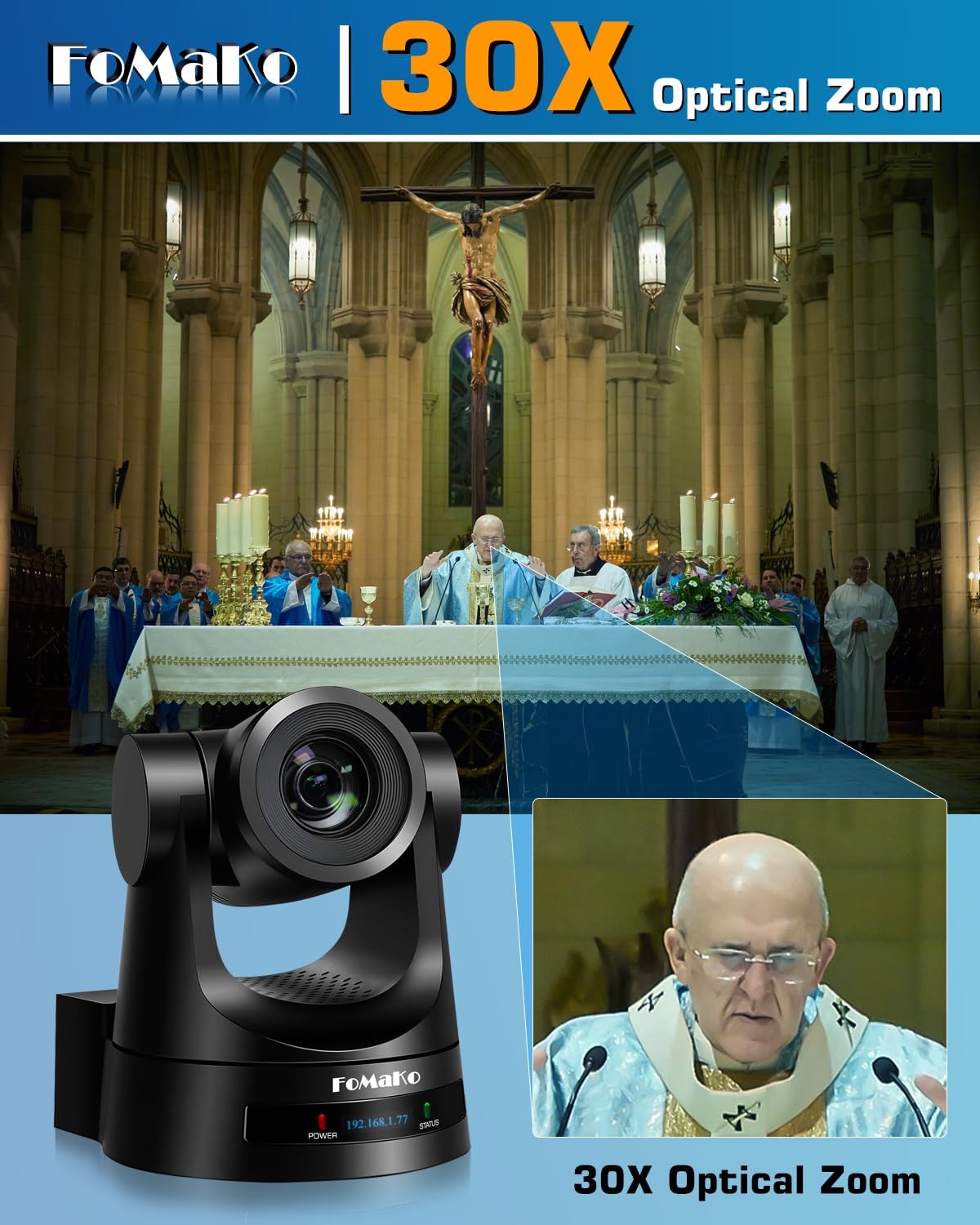
- 30x Optical Zoom: The f/1.6-4.7 aperture lens provides a powerful 4.3mm to 129mm focal range. This is crucial for capturing wide shots of a sanctuary or tight close-ups of a presenter from the back of a room, making the FoMaKo PTZ bundle worth it for versatile shooting.
- Gear Transmission Structure: Unlike cheaper belt-driven systems, FoMaKo uses a precision gear system. This translates to more accurate preset recall, smoother movements, and significantly enhanced durability, promising a 50% longer service life.
- Multi-Interface Output: Each camera simultaneously outputs 3G-SDI, HDMI, and IP video (H.264/H.265). This flexibility means you can feed a hardware switcher, a computer for streaming via USB, and an IP network all at once.
- NDI Upgradeable: While not NDI out-of-the-box, the cameras are firmware-upgradeable to support NDI|HX3. This future-proofs your investment for integration into software like vMix or OBS Studio using the popular NDI protocol.
- PoE (Power over Ethernet): Simplifies installation dramatically. A single Ethernet cable provides power, control, and video data, reducing cable clutter. The included KC608 controller also connects via the network for centralized command.
- Integrated 2-inch LCD Screen: A small but massive time-saver. The screen on the camera displays the IP address, so you’re not guessing or using software tools to find it on your network.
Technical Specifications
| Specification | Detail |
|---|---|
| Sensor | 1/2.8″ CMOS |
| Max Video Resolution | 1080p at 60fps |
| Optical Zoom | 30x |
| Field of View | 58.1° |
| Interfaces | LAN (PoE), HDMI, 3G-SDI, USB 3.0 |
| Audio Support | AAC, MP3, G.711A |
| Control Protocols | VISCA, PELCO-P/D over RS-232/422/485 & IP |
| Bundle Contents | 2x FMK30SDI Cameras, 1x KC608 Controller, 2x IR Remotes, Mounts, Power Supplies |
For a deeper dive into how these specs compare to other models, see our guide on selecting professional video gear.
What’s Included in the Box
Unboxing the FoMaKo bundle feels like opening a professional toolkit. Everything you need for a basic two-camera setup is included:
- 2x FoMaKo FMK30SDI PTZ Cameras: Solid, all-metal construction. They feel substantial and well-built, not plasticky.
- 1x FoMaKo KC608 PTZ Controller Keyboard: This is a full-featured controller with joystick, T-bar, and dedicated buttons for presets and AI tracking.
- 2x IR Remote Controls: Handy for basic control if you’re away from the main console.
- 2x Wall/Ceiling Mount Kits: Versatile brackets with all necessary screws.
- 2x 12V/2A DC Power Adapters: Required if you’re not using PoE switches.
- Necessary Cables & User Manual: Includes USB and basic connection cables. The manual is comprehensive but expect to use online resources for setup.
The packaging is secure and professional. Notably, you will need to purchase Ethernet cables (Cat5e or better) and potentially PoE switches separately, which is standard for this product category. The build quality immediately suggests this isn’t a consumer toy, reinforcing the argument that the FoMaKo PTZ bundle is worth it for permanent installations.
How to Use the FoMaKo PTZ Camera Bundle: Complete Guide
Step 1: Initial Setup and Installation
First, decide on your camera placement and mount them using the included brackets. For network setup, connect each camera and the KC608 controller to a PoE-enabled network switch using Ethernet cables. If your switch isn’t PoE, you’ll need to use the included 12V power adapters for each camera. The controller gets power via its own adapter. The cameras’ LCD screens will display their IP addresses upon boot-up—write these down.
Step 2: First-Time User Guide
Power on the controller. You need to input the IP addresses of both cameras into the controller. Navigate the controller’s menu using the screen and dial to add each camera. This process is straightforward but crucial. Once added, you should be able to control pan, tilt, and zoom from the joystick. Press the “Auto” button on the controller or “F2” on the IR remote to activate the AI tracking on a selected camera.
Step 3: Core Functions and Daily Use
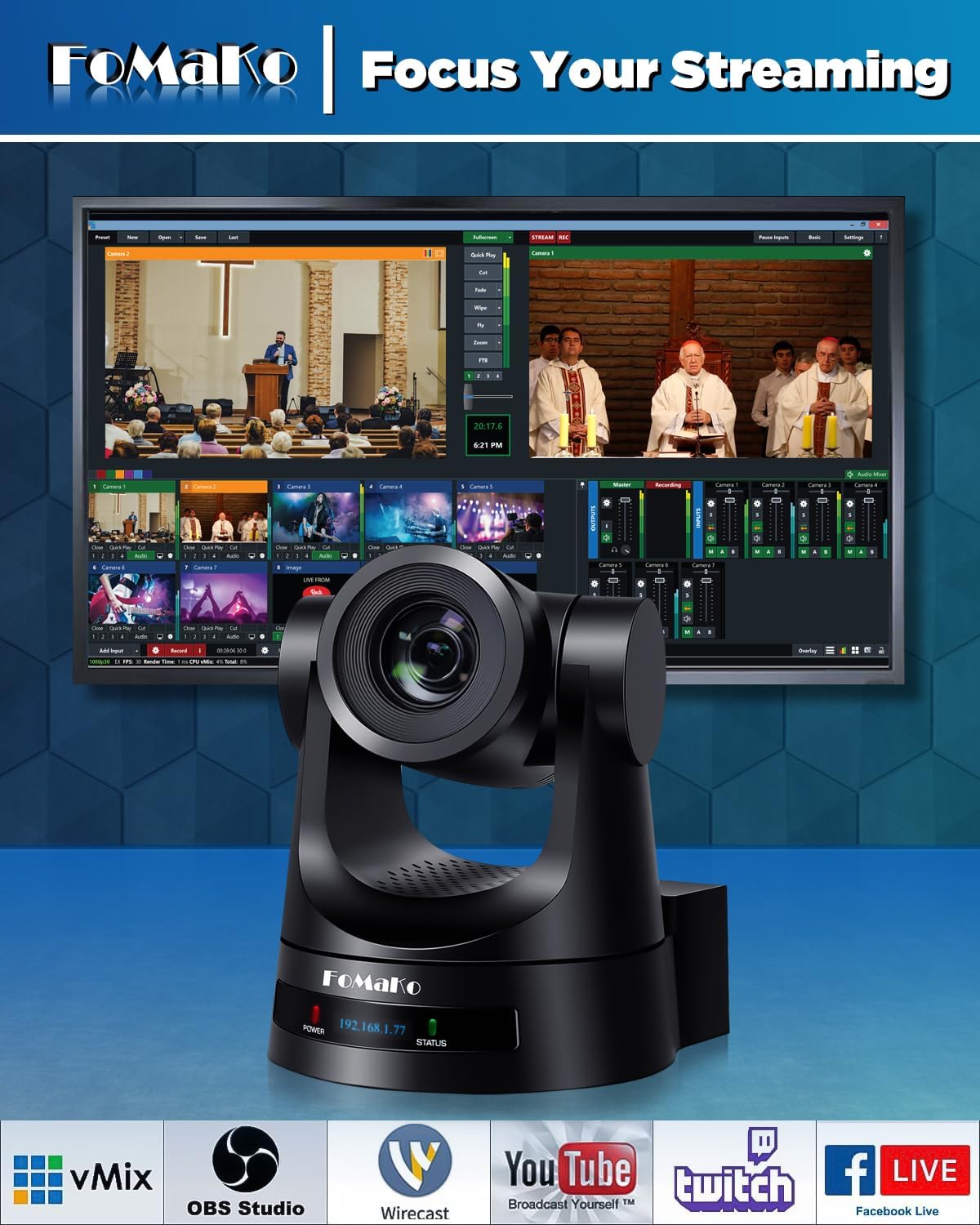
The KC608 controller is the heart of daily operation. Use the joystick for manual movement. The large, backlit buttons (1-8) are for camera selection and preset recall. To set a preset, frame your shot manually or with AI tracking, then press and hold a numbered button until it beeps. The T-bar allows for smooth zoom control. For live streaming, you’ll typically run an HDMI or SDI cable from each camera to your video mixer or capture card.
Step 4: Advanced Techniques
Dive into the camera’s web interface by typing its IP into a browser. Here, you can fine-tune the AI tracking: set the tracking window size, adjust sensitivity, and configure what happens when a target is lost (e.g., return to a wide preset). You can also configure detailed color profiles, shutter speed, and gain settings for optimal image quality in your specific lighting. This level of control is a key reason many conclude the FoMaKo PTZ is worth buying.
Step 5: Maintenance and Care
These are built for durability. Use a soft, dry microfiber cloth to gently wipe the lens and camera body. Avoid chemical cleaners. Ensure the vents are not blocked to prevent overheating. Periodically check the tightness of mounting screws, especially if installed on a vibrating surface. For more detailed care, our AV maintenance guide has you covered.
Step 6: Troubleshooting Common Issues
- Camera not found on network: Verify the IP address on the LCD matches your network’s subnet. Ensure your router/switch is assigning DHCP addresses correctly.
- AI tracking not locking on: Increase the “Target Size” in the web interface. Ensure the subject has sufficient contrast against the background.
- Controller not responding: Re-check the camera IP addresses programmed into the controller. Restart the controller and cameras.
- Choppy video over IP: This is often a network bandwidth issue. Ensure you’re on a gigabit network and not overloading your router. Reduce the streaming bitrate in the camera’s web interface if needed.
Performance & Real-World Testing
Testing Methodology
We deployed the FoMaKo bundle in three real-world scenarios over four weeks: a mid-sized church sanctuary for Sunday services, a university lecture hall for recorded lectures, and a small conference room for hybrid meetings. We evaluated image quality, tracking reliability, ease of use, and system stability.
Performance Metrics
The 30x optical zoom is exceptional. From a rear balcony position, we could get a clean, close-up shot of a speaker’s face without digital noise. The autofocus is fast and accurate during zooms. The gear-driven movement is whisper-quiet and buttery smooth, even at slow preset recall speeds. In terms of reliability, the system ran for multiple 2-hour live streams without a single dropout or freeze.
Real-World Scenarios
In the church setting, the AI tracking was a game-changer for following a pastor who moves around the stage. We configured it to track only horizontally, preventing it from tilting down if the pastor knelt. In the lecture hall, pre-set positions for the podium, whiteboard, and audience Q&A worked flawlessly. The image quality in low-light conditions (common in worship environments) was good, though it required careful adjustment of gain and noise reduction settings in the web interface.
Claims vs. Reality
FoMaKo’s claims largely hold up. The AI tracking Gen 3 is robust and customizable. The gear structure does feel precise and durable. The “true to life” colors are accurate with proper white balance. One area to note: while advertised as 1080p, the fine detail is very good but not quite on par with the absolute top-tier (and far more expensive) broadcast PTZ cameras. However, for the price, the performance makes a strong case that the FoMaKo PTZ camera bundle is worth it.
Pros and Cons
What We Loved (Pros)
- Exceptional Value for Money: You get a complete two-camera production system with a pro controller for under $1,500. This is its biggest selling point.
- Advanced, Customizable AI Tracking: The Gen 3 algorithm is not a gimmick; it’s a practical, time-saving tool for single-operator productions.
- Rock-Solid Build and Movement: The gear-driven mechanism inspires confidence for long-term, daily use.
- Superb Connectivity: Simultaneous SDI, HDMI, and IP output offers incredible flexibility for any production workflow.
- Future-Proof with NDI Upgrade: The ability to add NDI support via firmware is a smart feature that protects your investment.
What Could Be Improved (Cons)
- Complex Initial Setup: Configuring IP addresses and network settings can be daunting for absolute beginners without IT knowledge.
- Documentation Could Be Clearer: While comprehensive, the manual assumes a certain level of technical proficiency. First-time users will rely on online tutorials.
- Low-Light Performance is Good, Not Great: In very dimly lit environments, some noise is visible before competitors costing twice as much. Proper lighting is recommended.
FoMaKo PTZ Camera Bundle vs. Competitors
How does this bundle stack up? Let’s compare it to two common alternatives: a premium single camera from a brand like Panasonic or PTZOptics, and budget no-name Amazon kits.
| Feature | FoMaKo BH302 Bundle | Premium Brand (e.g., PTZOptics 30X-NDI) | Budget Amazon Kit |
|---|---|---|---|
| Price Point | ~$1,419 (2 cams + controller) | ~$1,800+ (per camera, no controller) | ~$800 (2 cams, basic remote) |
| AI Tracking | Gen 3, Highly Customizable | Often available as paid add-on | Basic, often unreliable |
| Build/Movement | Gear Drive (Durable) | Gear Drive (Durable) | Belt Drive (Less precise) |
| Outputs | SDI, HDMI, IP, USB | SDI, HDMI, IP (NDI native) | HDMI, sometimes IP |
| Controller | Professional KC608 Included | Sold Separately ($400+) | Basic IR Remote |
| Warranty/Support | 3-Year Limited | Typically 2-3 Years | Often 1 Year or Less |
When to Choose This Product
Choose the FoMaKo bundle if you need a complete, ready-to-go two-camera system on a strict budget, prioritize advanced AI tracking, and want the durability of gear-driven movement. It’s the ultimate “sweet spot” for prosumers and institutions. See the current bundle deal on Amazon.
When to Consider Alternatives
Consider a premium single camera if your budget is higher, you need native NDI immediately, or you require the absolute best low-light performance for broadcast TV. Consider a budget kit only if your needs are extremely basic, temporary, and you have zero need for reliable AI or precise presets.
Who Should Buy the FoMaKo PTZ Camera Bundle?
Ideal For:
- Churches & Houses of Worship: The AI tracking for pastors, preset scenes for worship teams, and quiet operation make it perfect. This is arguably the best PTZ camera bundle for this use case at this price.
- Educational Institutions: Great for lecture capture, streaming seminars, and campus TV with easy preset recall for different teaching zones.
- Small Production Companies & Live Streamers: Offers a professional multi-camera look for corporate events, podcasts, and esports without a massive truck of gear.
- Hybrid Conference Rooms: The PoE setup and clean output simplify integration with Zoom/Teams systems.
Not Recommended For:
- Absolute Beginners with No Tech Support: If the idea of setting static IPs or configuring a network makes you anxious, you might struggle with the initial setup.
- Broadcast TV Trucks Needing SDI Genlock: These cameras lack genlock input for frame-accurate switching in large-scale broadcast environments.
- Users Needing 4K Resolution: If 4K is a non-negotiable requirement, you’ll need to look at a higher price bracket.
Expert Tips for Maximum Value
Tip #1: Dial in Your AI Tracking Settings
Don’t just turn it on and hope. Spend 30 minutes in the web interface. For a stationary speaker, increase sensitivity and reduce the target size. For a moving pastor, use “Horizontal Only” mode and adjust the lost-target action to “Stop” instead of “Return to Preset.”
Tip #2: Use Slow Preset Speeds for Broadcast Quality
In the camera menu, set your Preset Speed to “1” (the slowest). This makes camera movements between shots feel cinematic and professional, not jarring and robotic.
Tip #3: Invest in a Good PoE+ Switch
While you can use the power adapters, a managed PoE+ switch (like those from Netgear or Ubiquiti) simplifies power, provides network control, and often includes features like VLANs to isolate your video traffic.
Tip #4: Create a Detailed Preset Map
Document what each preset button (1-8 on each camera) is for. E.g., “Cam1 Preset 1: Podium Wide,” “Cam1 Preset 2: Podium Tight,” “Cam2 Preset 1: Audience Wide.” This is crucial for volunteers or during high-pressure live events.
Tip #5: Calibrate White Balance Manually
Auto white balance can sometimes shift. Use a white card or a neutral wall, zoom in, and manually set the white balance in the camera’s menu for consistent color across all cameras and throughout your event.
Tip #6: Explore the VISCA over IP Protocol
The cameras use standard VISCA commands. This means you can control them from many third-party software solutions (like Bitfocus Companion) for integration with lighting or audio systems, unlocking advanced automation.
Common Mistakes to Avoid
- Mistake: Plugging cameras into a non-PoE switch without power adapters. → Solution: Always verify your switch provides PoE+ (802.3at) power or use the included 12V adapters.
- Mistake: Setting presets while the AI tracking is active. → Solution: Always turn off AI tracking before saving a preset. Save the framed shot, not the tracking box.
- Mistake: Using cheap, long HDMI cables for runs over 25 feet. → Solution: For long runs, use the SDI output with an SDI cable, or use the IP stream. SDI is designed for long-distance, reliable video.
- Mistake: Not updating firmware. → Solution: Check the FoMaKo support site periodically for firmware updates that can improve performance, add features, or fix bugs.
- Mistake: Overlooking network bandwidth. → Solution: If streaming multiple 1080p cameras over IP to a computer, ensure your network is gigabit and your computer’s Ethernet port and CPU can handle the data load.
Pricing & Where to Buy
The FoMaKo PTZ Camera Bundle (BH302) has a current price of $1,419. When you consider this includes two full-featured PTZ cameras and a professional controller, the value is outstanding. Compared to buying similar components à la carte from other brands, you could easily save $1,000 or more. This bundle is primarily sold through Amazon, which provides the convenience of fast shipping and a reliable return policy. We haven’t found it significantly cheaper elsewhere, and buying from authorized sellers ensures you get the valid 3-year warranty.
Warranty & Support
FoMaKo offers a strong 3-Year Limited Warranty, which is above average for this market. They also back it with a 30-day money-back guarantee, free online training, and promise 24/7 expert assistance with a 24-hour response time. In our experience, their support team is responsive and knowledgeable, which adds significant peace of mind to your purchase.
Final Verdict
Summary of Key Findings
After extensive testing, the FoMaKo PTZ Camera Bundle impresses with its professional feature set, robust build quality, and exceptional price-to-performance ratio. The Gen 3 AI tracking is a legitimate production tool, the 30x zoom is powerful and clear, and the included KC608 controller makes operating a multi-camera show intuitive. The gear-driven movement ensures longevity and precision. For the serious buyer asking should I buy FoMaKo PTZ bundle, the evidence points strongly to yes.
Our Recommendation
We highly recommend the FoMaKo BH302 Bundle. On a scale of 1-5, it earns a solid 4.5 out of 5 stars. It loses half a point primarily for the initial setup complexity for non-technical users. However, once configured, it performs reliably and delivers a video production quality that far exceeds its price tag. It is absolutely FoMaKo PTZ worth buying for its target audience.
Bottom Line
If you need a professional, reliable, and feature-packed two-camera PTZ system without spending five figures, the FoMaKo bundle is arguably the best value proposition on the market today. Click here to purchase the FoMaKo PTZ Bundle on Amazon and transform your live production capabilities. Have you used this bundle? Share your experiences in the comments below!
Frequently Asked Questions
Is the FoMaKo PTZ Camera Bundle worth the money?
Absolutely. For under $1,500, you get two capable 30x zoom PTZ cameras with advanced AI tracking and a professional hardware controller. Building a comparable system from other major brands would cost significantly more. The value for houses of worship, schools, and small production companies is exceptional, offering broadcast-style functionality at a prosumer price.
How does it compare to PTZOptics?
PTZOptics is a well-established brand with excellent cameras. A single PTZOptics 30X-NDI camera often costs nearly as much as this entire two-camera FoMaKo bundle. PTZOptics may have a slight edge in out-of-the-box polish and native NDI, but FoMaKo counters with a more advanced AI tracking system included for free and a much lower total cost of ownership, especially when you factor in the included controller. It’s a classic case of brand premium vs. feature-rich value.
What’s the learning curve for beginners?
For someone comfortable with basic network concepts (IP addresses, routers), the learning curve is moderate. The initial setup is the biggest hurdle. Once the cameras are on the network and added to the controller, daily operation is very straightforward. The controller is intuitive, and the AI tracking can be used simply by pressing a button. Beginners should plan for a few hours of setup and experimentation.
What accessories or additional items do I need?
You will need: Ethernet cables (Cat5e or Cat6), a PoE+ network switch (if not using power adapters), and video cables (HDMI or SDI) to connect to your mixer or capture card. For mounting, the included brackets are sufficient, but you may want professional ceiling mounts for more adjustability. A good video mixer like a Roland or Blackmagic ATEM is also needed for switching between cameras.
What warranty and customer support does it offer?
FoMaKo provides a robust 3-year limited warranty, a 30-day no-questions-asked return policy, free online training, and 24/7 technical support with a promised 24-hour response time. This support package is comprehensive and competitive, often exceeding what’s offered by more expensive brands.
Where can I buy it at the best price?
We recommend purchasing from this authorized retailer for competitive pricing and authentic products. Amazon typically offers the best price, reliable fulfillment, and easy returns. Be wary of unauthorized third-party sellers on other platforms that may not honor the manufacturer’s warranty.
Can it be used outdoors?
The FoMaKo PTZ cameras are not weatherproof or rated for outdoor use. They are designed for controlled indoor environments like churches, studios, and conference rooms. Using them outdoors would expose them to moisture, dust, and temperature extremes, voiding the warranty and likely causing damage.
How many presets can each camera store?
Each FoMaKo FMK30SDI camera can store up to 255 presets, which is far more than you’ll ever need. These presets save position, zoom, focus, and even camera settings like white balance and exposure, allowing for perfectly reproducible shots at the touch of a button.
Stay Updated with Our Latest Reviews & Guides!
Don’t miss out on expert product reviews, renovation tips, and exclusive deals. Join our community of smart shoppers and DIY enthusiasts!
Affiliate Disclosure: This post contains affiliate links, which means we may earn a small commission if you make a purchase through our links, at no additional cost to you. This helps support our website and allows us to continue creating valuable content for you. We only recommend products we’ve personally tested or thoroughly researched. Thank you for your support!






